Multiple Hosts
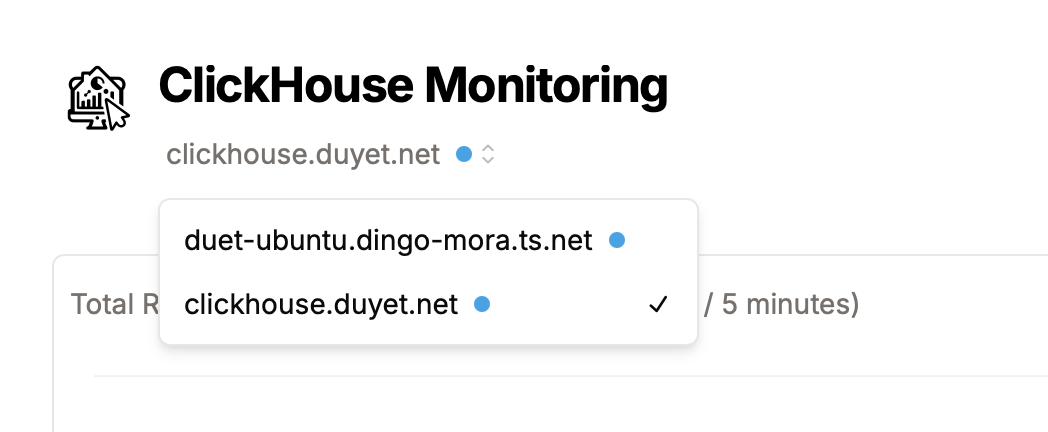
You can configure the UI to have multiple ClickHouse hosts by using these environment variables:
CLICKHOUSE_HOST: Separated by commas, for example:http://ch-1:8123,http://ch-2:8123CLICKHOUSE_NAME: (Optional) Name of the ClickHouse instance, must match the number of hosts inCLICKHOUSE_HOST, for examplech-1,ch-2.
All these hosts will share the same CLICKHOUSE_USER and CLICKHOUSE_PASSWORD. If you want to have multiple users/passwords for each host, specify them in the usual way:
CLICKHOUSE_USER:user1,user2CLICKHOUSE_PASSWORD:password1,password2
Examples Docker
Docker (same user)
docker run -it \
  -e CLICKHOUSE_HOST='http://ch-1:8123,http://ch-2:8123' \
  -e CLICKHOUSE_NAME='ch-1,ch-2' \
  -e CLICKHOUSE_USER='default' \
  -e CLICKHOUSE_PASSWORD='' \
  --name clickhouse-monitoring \
ghcr.io/duyet/clickhouse-monitoring:mainExamples Kubernetes
Kubernetes (same user)
helm repo add duyet https://duyet.github.io/charts

cat <<EOF >> values.yaml
env:
- name: CLICKHOUSE_HOST
  value: http://ch-1:8123,http://ch-2:8123
- name: CLICKHOUSE_NAME
  value: ch-1,ch-2
- name: CLICKHOUSE_USER
  value: default
- name: CLICKHOUSE_PASSWORD
  value: ''
EOF

helm install -f values.yaml clickhouse-monitoring-release duyet/clickhouse-monitoringLast updated on